
This post contains affiliate links. We may earn a small commission when you buy through our links — at no extra cost to you.
Smart thermostats promise a cooler bedroom for deeper sleep, yet many models distract with AI predictions and connectivity hiccups rather than deliver a reliable nighttime temperature drop. When your Wi‑Fi stumbles at midnight, the last thing you need is a thermostat that loses its schedule.
The solution is simpler than the marketing suggests. A straightforward programmable thermostat with a dimmable display and an on-device schedule will reliably cool your room without needing a constant internet connection. Local schedules don’t vanish when the router reboots — and that consistency is what sleep demands.
This guide focuses on the thermostats that prioritize flawless night cooling: from easy-to-use smart models with voice control to offline touchscreen programmers that never touch the cloud. No matter your budget, the right pick will keep you comfortable and asleep, even if your phone is in another room.



Best for Smart Sleep Scheduling
Sensi Touch ST75
Key Features
- Programmability: Wi‑Fi app scheduling
- Display: 4.3‑in color touchscreen LCD
- C‑Wire & Install: C‑wire required, guided app install
- Price: Mid-Range
The Sensi Touch ST75 pairs a bright 4.3-inch color touchscreen with flexible scheduling, so setting a precise nighttime temperature drop is fast and visual. The guided app installation uses illuminated terminals and clear step-by-step prompts, making the process straightforward for confident DIYers. Day-to-day operation is notably consistent: the thermostat runs saved schedules reliably, and the touchscreen responds instantly. Voice control via Alexa or Google Assistant lets you adjust the temperature from bed without touching the display. Wi‑Fi can occasionally disconnect, but because the local schedule is stored on the device, the nighttime cooling routine you’ve set continues without interruption.
This thermostat is for homeowners comfortable with basic wiring who want an easy-install smart thermostat to create reliable sleep‑friendly temperature routines. It requires a C‑wire, so older homes without one will need a professional install. If your Wi‑Fi signal is extremely weak, the occasional app disconnection could be a minor annoyance when making remote adjustments, but the on‑device schedule ensures your sleep temperature stays on track regardless.
Pros
- Intuitive color touchscreen makes programming nightly temperature drops fast
- Guided app installation with illuminated terminals — no special tools needed
- Seamless voice control with Alexa and Google Assistant for hands-free night adjustments
Cons
- Wi‑Fi connectivity can occasionally drop, requiring reconnection — local night schedules continue running unaffected
If you want a DIY-friendly smart thermostat that reliably lowers the temperature for sleep without fuss, the Sensi Touch ST75 delivers — just account for a C-wire and know that the occasional Wi‑Fi hiccup won’t disturb your night.
Best for Rock‑solid Wi‑fi
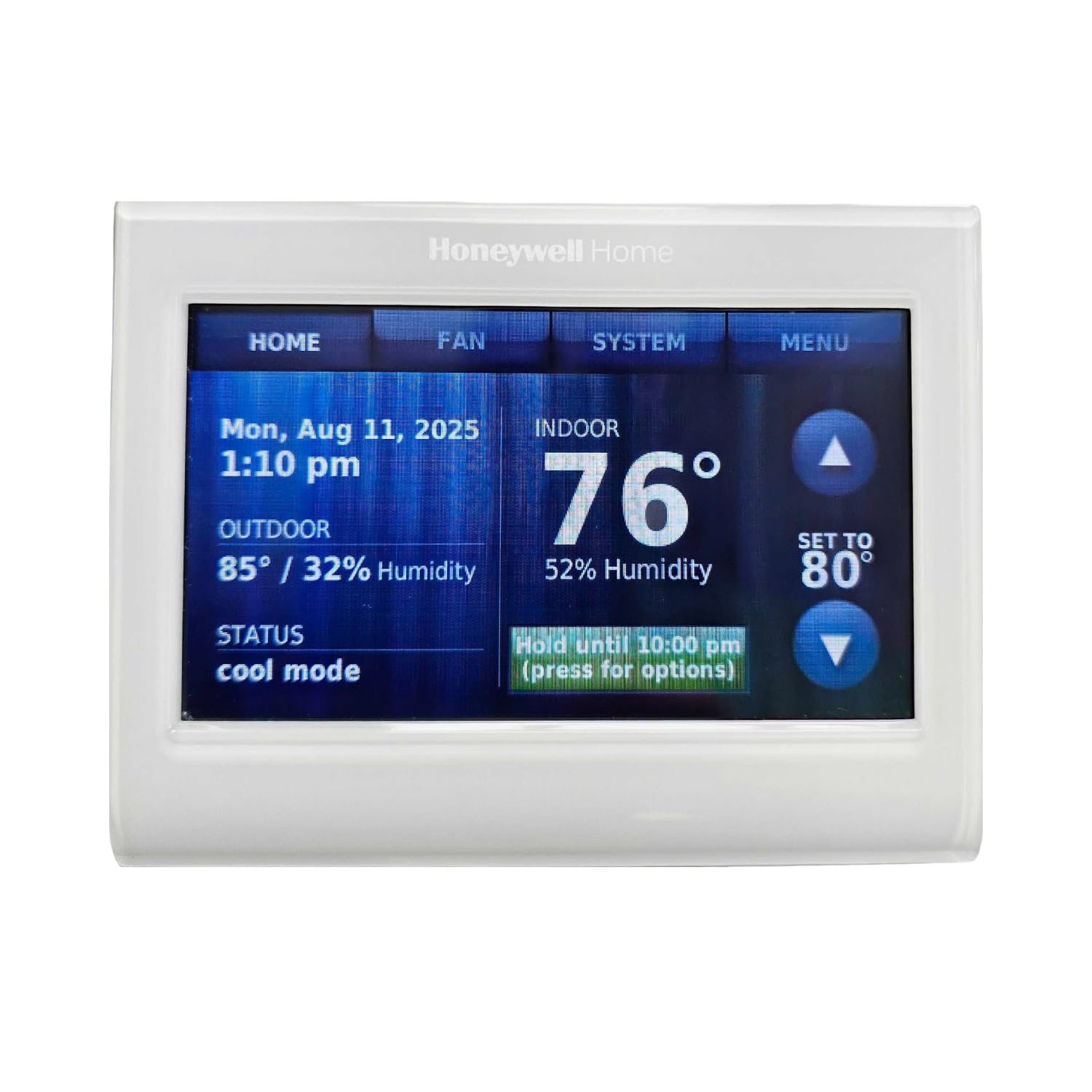
Honeywell TH9320WF
Key Features
- Programmability: Wi‑Fi app, 7‑day
- Display: 3.75‑in customizable color touch
- C‑Wire & Install: C‑wire required, professional‑grade
- Price: Premium
Where the top pick emphasizes easy DIY installation, the Honeywell TH9320WF leans into premium build quality and a Wi‑Fi connection that stays locked in. Its 3.75‑inch color touchscreen can be dimmed and tuned to a sleep‑friendly hue, and the app makes programming an overnight temperature drop refreshingly simple.
This thermostat fits homes with a C‑wire where the priority is a dependable, hands‑off sleep schedule. The rare spontaneous reboot — which can reset a temporary hold — is the only operational quirk, and it doesn’t affect the long‑term program. You’ll trade easier installation for a more substantial feel and fewer connectivity disruptions during the night.
Pros
- Runs cooling schedules faithfully night after night without drift.
- App makes setting an overnight temperature drop a simple task.
- Wi‑Fi connection holds steady for late-night adjustments from bed.
Cons
- Spontaneous reboots can occasionally interrupt a temporary hold, reverting to the permanent schedule.
For sleep‑focused buyers who want a thermostat that quietly runs night schedules without connection hiccups, the Honeywell TH9320WF’s premium feel and unwavering connectivity justify the added cost — so long as the home has a C‑wire.
Best for Older Homes, Budget
Sensi ST55
Key Features
- Programmability: Wi‑Fi app flexible schedules
- Display: LED backlit with buttons
- Temperature Accuracy: May vary ±1‑2°F
- C‑Wire & Install: No C‑wire most cases, easy DIY
- Price: Budget
While the top pick offers a large touchscreen and more stable Wi‑Fi, the ST55’s headline feature is C‑wire‑free installation — a practical edge for older homes. The backlit physical buttons and straightforward app scheduling let you set a nighttime temperature drop without fuss. Wi‑Fi does drop more often on this model, so remote tweaks may fail, but the local schedule holds. Temperature can drift by a degree or two, which may matter for sensitive sleepers. This is a pragmatic choice for DIYers and landlords who prioritize easy setup and low cost over pinpoint precision.
Pros
- Installs quickly without a C‑wire, even in homes with older wiring
- Backlit physical buttons allow quiet nighttime adjustments without a screen glow
- Wi‑Fi scheduling and Energy Star certification support lower overnight temperatures
Cons
- Temperature can drift by a degree or two, requiring occasional manual correction for optimal sleep
- Wi‑Fi connectivity may drop, preventing remote changes; local schedule remains active
For older homes and rental setups where a C‑wire is missing, the ST55 delivers smart scheduling without costly rewiring — just know that occasional connection hiccups and minor temperature swings are part of the deal.
Best for Offline Programming
Honeywell RTH7600D
Key Features
- Programmability: 7‑day touchscreen, no Wi‑Fi
- Display: Large touchscreen backlit
- C‑Wire & Install: Battery powered, no C‑wire
- Price: Budget
This thermostat’s schedule lives on the unit itself, so it never drops out or restarts overnight like some Wi‑Fi models, and there are no connectivity chimes to interrupt sleep. The large backlit touchscreen is easy to read in dim light, and four daily periods let you set a precise nighttime temperature drop. Once programmed, the 7‑day cycle runs on battery power, so brief outages won’t scramble your settings. The trade‑off: all changes require a trip to the wall; there is no app. And the screen backlight can develop uneven bright spots over time, though the schedule itself stays intact. That’s an acceptable compromise for a bedroom where a distraction‑free, always‑on schedule is the goal.
Pros
- Intuitive on‑screen menus and large touchscreen make 7‑day programming quick.
- Fast DIY installation with clearly labeled terminals.
- Noticeable energy savings after setting a consistent schedule.
Cons
- All changes must be made at the wall unit — no phone or voice control.
- Screen backlight may develop uneven dimming or unresponsive touch areas over time.
An offline thermostat that holds a week’s worth of sleep schedules without ever touching a phone; screen longevity varies, but for a bedroom where predictability matters more than app control, it delivers.
Best for Smart Automation
ecobee Smart Enhanced
Key Features
- Programmability: Wi‑Fi with occupancy radar
- Display: 4‑in color LCD touchscreen
- Temperature Accuracy: Can be off 4‑5°F
- C‑Wire & Install: C‑wire needed; extender kit incl.
- Price: Premium
The radar-triggered occupancy sensing and optional remote sensors let this thermostat prioritize rooms in use, a clear edge over the top pick’s schedule-first approach for homes with uneven temperatures. Its app and ecobee ecosystem excel in multi-zone setups, while the color touchscreen dims for sleep-friendly nighttime use. However, the temperature reading can be off by several degrees, which matters if you need precise overnight cooling for sleep quality. Calibration offsets help but won’t eliminate the variance entirely. Homes with heat pump or dual-fuel systems should verify compatibility beforehand.
Pros
- Radar occupancy detection and learning adjust schedules automatically to reduce energy waste.
- App and remote sensor ecosystem let you manage hot/cold spots room by room.
- Sleek design and responsive touchscreen with a dimmable display for bedrooms.
Cons
- Temperature readings can be off by up to 5°F, requiring sensor offset calibration for comfortable sleep.
For smart home enthusiasts willing to trade pinpoint temperature precision for occupancy-driven energy savings, the ecobee Smart Enhanced delivers — just don’t expect it to dial in your ideal sleep temperature without occasional tweaking.
Best for Google Ecosystem Sensor
Nest Learning 4th Gen
Key Features
- Programmability: Learning with app, Adaptive Eco
- Display: Large high‑res touch, Farsight
- Temperature Accuracy: Learning may cause drift
- C‑Wire & Install: No C‑wire most homes, app setup
- Price: Luxury
The 4th Gen Nest Learning Thermostat stands out with a gorgeous, oversized display and an included sensor that smooths cold and hot spots across the house. Unlike the premium Wi‑Fi thermostat with stable manual schedules, this device learns your habits and adapts — a double-edged blade for those who need a predictable 65°F at 10 PM. Early adopters comfortable with Google’s ecosystem will admire the design and energy savings, but anyone who insists on a thermostat that does exactly what they tell it should note that the learning algorithms can override manual sleep settings. Migration to the Google Home app is mandatory and adds initial friction.
Pros
- Striking industrial design with a dimmable, high‑res touchscreen that suits bedrooms.
- Bundled sensor helps even out cold and hot spots, improving whole‑room comfort.
- Learning routines can reduce energy waste over time.
Cons
- Moving to the Google Home app is mandatory; no backward compatibility with the Nest app.
- Learning algorithms may autonomously shift temperatures, overriding manual sleep schedules.
It rewards those who value design and whole‑room comfort sensors, and are willing to occasionally rein in an eager AI. For uninterrupted, predictable sleep cooling, the premium Wi‑Fi thermostat with dedicated scheduling remains the steadier choice.
Best for Simple Manual Control
Suuwer S701

Key Features
- Programmability: No (manual only)
- Display: Large blue backlit LCD
- Temperature Accuracy: ±2°F reported
- C‑Wire & Install: Dual powered, no C‑wire
- Price: Budget
The S701 delivers a large, bright blue backlight and straightforward button controls that require no technical know-how. It lacks programmable scheduling, so there’s no way to set an automatic nighttime temperature drop, and the sensor can be off by up to 2°F, making manual calibration necessary. This suits a workshop or guest room where someone is always present to adjust it, not a sleep-optimized bedroom.
Pros
- Simple operation ideal for elderly or non-tech users.
- Large, easy-to-read blue backlit display.
Cons
- Temperature readings can be off by up to 2°F, requiring calibration or manual offset.
A practical pick for a workshop, garage, or guest room where manual adjustments are fine, but not for bedrooms needing automatic sleep-friendly temperature drops.
Best for Basic Manual
Heagstat H701

Key Features
- Programmability: No (manual only)
- Display: Large white backlit LCD
- Temperature Accuracy: ±2‑3°F possible
- C‑Wire & Install: Dual powered, no C‑wire
- Price: Budget
The H701 is a simple manual thermostat with a large white-backlit display that’s easy to read from a distance. Installation is quick in campers, RVs, and basic homes. It lacks any scheduling, making it unsuitable for automatic night temperature drops central to sleep optimization. Some units can read 2–3°F off, requiring calibration to match actual room conditions.
Pros
- Easy installation in campers, RVs, and basic setups
- Bright, large LCD numbers visible from across the room
Cons
- Some units can read 2–3°F off, requiring manual calibration
The H701 suits campers, RVs, and secondary spaces where manual control and a clear display matter more than scheduling—just be prepared to check calibration.
Best for Manual Humidity
Garystat G701

Key Features
- Programmability: No (manual only)
- Display: Large blue LCD, humidity
- Temperature Accuracy: Minor overshoot reported
- C‑Wire & Install: Dual powered, no C‑wire
- Price: Budget
The Garystat G701 delivers a large, easy-to-read blue LCD and a built-in humidity monitor at a very low price. However, it has no scheduling — it can’t automate the nighttime cooling that sleep studies recommend. The temperature may also overshoot the set point slightly before the system cycles off, though manual adjustment keeps things comfortable.
Pros
- Large blue backlit LCD is easy to read at a glance, no squinting needed.
- Displays room humidity, a useful comfort metric rarely seen at this price.
Cons
- Temperature can overshoot the set point slightly before shutting off.
For a guest room or a bedroom where you adjust the temperature manually and want humidity data on a clear display, this is a straightforward, affordable choice.
Best for Simplest Upgrade
ELECTECK KRT1H1CB

Key Features
- Programmability: No (manual only)
- Display: 4.5 sq. in. LCD blue backlight
- Temperature Accuracy: ±1°F (spec)
- C‑Wire & Install: Dual powered, no C‑wire
- Price: Budget
The ELECTECK KRT1H1CB offers a large, backlit display and easy installation at a low price. But it’s manual-only — no scheduling or smart features. For sleep-focused bedrooms needing nighttime temperature drops, it’s not appropriate. It suits garages, rentals, or utility rooms where a basic on/off control is enough.
Pros
- Large, bright LCD display readable from a distance
- Simple installation with clear documentation
Cons
- No scheduling, smart connectivity, or automation — manual control only
If you’re outfitting a garage, rental, or utility room and want the clearest possible display for basic temperature control, this is a sound budget choice — just don’t expect it to manage sleep-friendly temperature schedules.
Best for Heat‑only Manual
Emerson 1E78‑140

Key Features
- Programmability: No (heat‑only manual)
- Display: Digital backlit
- Temperature Accuracy: ±1°F
- C‑Wire & Install: Battery powered, easy 2‑wire
- Price: Budget
The White‑Rodgers 1E78‑140 holds temperature within 1‑2°F for heat‑only systems like RVs, gas fireplaces, and baseboard heaters. It has no programming or cooling capability, so it cannot automatically lower temperature at night for sleep comfort. The backlight can dim over time, reducing visibility in a dark bedroom.
Pros
- Heat‑only replacement for RVs, gas fireplaces, and baseboard heaters.
- Straightforward two‑wire installation on most systems.
Cons
- Backlight may dim or fail over time, and buttons can become less responsive.
A practical option for simple heat‑only setups, but anyone needing scheduled nighttime temperature changes will need a programmable or smart thermostat.
How to Choose
The single most important factor for sleep is whether a thermostat faithfully runs a nighttime temperature schedule without disturbing your bedroom’s dark quiet—smart features are secondary.
Programmability
Smart Wi‑Fi thermostats let you tweak schedules from bed, but a basic 7‑day unit on the wall can be just as effective. The hidden advantage of smart models is remote access, not the learning algorithms. And if Wi‑Fi drops, the on-device schedule keeps working—a fact many buyers overlook.
Manual thermostats provide zero automatic nighttime cooling; you’d have to physically turn the dial every night. For consistent sleep comfort, even an offline programmable thermostat will outperform a manual one every time.
Wi‑Fi Stability
Wi‑Fi disconnections are the top complaint across smart thermostats, yet they rarely affect sleep. Once a schedule is stored, the thermostat’s local memory executes it regardless of router status. Before blaming the thermostat, check your Wi‑Fi signal strength; a weak signal in the bedroom can cause frequent drop‑offs.
Display
A bright, always‑on screen can disturb sleep. Look for models with adjustable backlighting, auto‑dim, or physical buttons instead of a glowing touch panel. Some thermostats allow the display to go completely dark until you approach; others let you set a schedule for screen brightness.
If the thermostat is on a wall facing the bed, even a small backlight may be annoying. In those cases, a unit with a non‑illuminated physical interface or a screen that turns off after a few seconds is worth prioritizing.
Temperature Accuracy
A thermostat that’s even 2°F off can make a bedroom feel too warm or chilly. Entry‑level models sometimes have wider sensor tolerances, so they may not hold the exact setpoint. Pay attention to adjustable temperature swing settings; a narrower swing (0.5–1°F) means tighter control and less drift.
Inaccurate readings can also be a placement issue: mounting near a window, exterior wall, or draft can skew sensor data. Even a high‑precision thermostat will struggle if installed in the wrong spot.
C‑Wire Requirement
A C‑wire provides constant power, eliminating battery swaps and preventing the thermostat from rebooting at the wrong time. Many modern thermostats demand a C‑wire, but some older homes lack one. Using a power‑stealing adapter can work, yet it occasionally causes erratic behavior.
If you don’t have a C‑wire, choose a model specifically engineered to run without it, like the Sensi ST55, rather than relying on a kit that might compromise long‑term reliability.
FAQ
How do I set my thermostat for optimal sleep temperature?
Set a nighttime schedule that drops the temperature by 5–10°F about an hour before bed. Use the thermostat’s time‑based programming—either through the app or directly on the unit—to cool down to 60–67°F, which most research identifies as the sweet spot for falling and staying asleep. The schedule runs automatically every night, no manual adjustments needed.
Why does my smart thermostat keep disconnecting from Wi‑Fi at night?
The disconnect usually stems from weak Wi‑Fi signal in the bedroom, router sleep settings, or router firmware quirks. Crucially, a lost Wi‑Fi connection does not erase the on‑device schedule; the thermostat will continue to follow the programmed temperature changes. If remote control is essential, try moving your router closer or adding a mesh node, but your sleep won’t suffer if you ignore the app’s offline warning.
Can a non‑programmable thermostat be used to lower temperature at night?
Only if you wake up and manually turn it down every night. Non‑programmable thermostats hold a single setpoint until changed physically, so they can’t automatically lower the temperature for sleep. For automation without Wi‑Fi, an offline programmable thermostat with a 7‑day schedule is the simplest solution.
Do I need a C‑wire for a smart thermostat to work reliably?
Many smart thermostats require a C‑wire for stable power, but not all. Models like the Sensi ST55 are designed to operate without one in most homes. If you lack a C‑wire, using a thermostat that actively supports C‑wire‑free installation avoids battery drain and reboot issues associated with power‑stealing adapters.